

01-22-2026
How Can You File Form 2290 Electronically in the Fastest Way?


Filing Form 2290 Electronically is one of those trucking admin tasks where “fast” is not a nice-to-have, it is often the difference between getting your plates (or renewing) on time versus losing a day (or more) to paperwork. The fastest workflow is the one that gets you from “I need to file” to “I have my IRS-stamped Schedule 1 in hand” with the fewest rejection risks and the least back-and-forth.
Below is a practical, speed-first playbook you can use in 2026, especially if you’re up against IRP truck registration timelines.
What “fastest” really means for Form 2290
Speed is not just how quickly you type in vehicle details. The real KPI is IRS acceptance, because that’s what produces your Form 2290 Schedule 1 (the proof most states and IRP jurisdictions want for registration).
The IRS has long emphasized that e-filing is the fastest way to receive a stamped Schedule 1 compared with paper filing. See IRS guidance on Form 2290 and the official Form 2290 instructions.
Here’s the operational reality most fleets plan around:
| Filing method | Typical outcome | Schedule 1 availability | What slows it down most |
|---|---|---|---|
| E-file through an IRS Authorized E-file Provider | IRS validation checks happen before submission, status updates are tracked | Often minutes after IRS acceptance (can vary during peak) | Rejections from EIN/VIN mismatches, wrong first-used month, payment setup issues |
| Paper filing by mail | Manual handling and mail transit time | Often weeks (IRS processing + mailing) | Mail delays, IRS backlogs, corrections require re-mailing |
If your goal is “today” (or “this hour”), your strategy should be built around two ideas:
- Prevent rejection (because rejections are what turn minutes into days).
- Control the variables you can control before you click submit.
The 5 levers that make e-filing Form 2290 truly fast
1) Start with identity data that will not trigger a rejection
A surprising amount of delay comes from basic identity mismatches.
Before you file, confirm:
- Your EIN (not your SSN) and the exact legal business name tied to that EIN
- Your current business address
- Who is authorized to sign and submit
If you want an extra layer of verification, the IRS now offers a Business Tax Account experience inside your irs business online account, which can help you confirm certain business tax details and stay oriented on IRS records. (It’s not required to e-file Form 2290, but it can reduce “what does the IRS have on file?” confusion.)
2) Treat the vehicle identification number like a “payment routing number”
Your vehicle identification number (VIN) is the most common “tiny typo, big delay” field.
Speed tactic: copy/paste from a reliable source (registration, cab card, title) and do a character-by-character check before submitting. For example:
- O vs 0 (letter O vs zero)
- I vs 1 (capital i vs one)
If you are filing a fleet, do not rely on a spreadsheet that has not been audited recently. A single VIN error can force a correction cycle when you’re trying to finish IRP work.
3) Choose the correct first-used month (FUM) to avoid rework
The IRS bases the HVUT filing period and proration on the month your vehicle was first used on public highways during the tax period.
Fastest-path tip: make FUM a deliberate step, not a dropdown you guess. Wrong FUM can lead to wrong tax and a filing you’ll need to amend.
4) Use a payment method that matches your “time to proof” needs
You can electronic file Form 2290 and pay online, but how you pay can impact how smoothly the filing finishes.
Common IRS payment methods include:
- Direct Debit (bank account draft)
- EFTPS (the Treasury’s Electronic Federal Tax Payment System)
- Credit/debit card through IRS-approved payment processors
If you use EFTPS, make sure your enrollment is already active. The Treasury’s official EFTPS site is EFTPS.gov. Enrollment issues are not a Form 2290 problem, but they can become your bottleneck.
5) Pick an IRS Authorized E-file Provider built for speed, not just compliance
Not all providers optimize for the same thing. Some are “forms software.” Others are designed around “get accepted fast, track it, download proof.”
A speed-focused IRS Authorized E-file Provider should offer:
- Guided filing that reduces input mistakes
- Clear rejection messaging and fast re-submission
- Immediate access to your accepted Schedule 1
- Secure retrieval of past filings (because IRP offices may ask again)
Simple Form 2290 is an IRS-authorized platform designed for fast HVUT e-filing with instant Schedule 1 delivery, bulk vehicle filings, bilingual support (English/Spanish), and secure record retrieval.
Where time is lost: rejection patterns you can prevent
Rejections are the main reason an “instant” process turns into a multi-day headache, especially close to HVUT and registration deadlines.
Use this prevention table as a final “speed audit” before submission:
| Rejection or delay trigger | Why it happens | Fastest fix |
|---|---|---|
| EIN and legal name mismatch | IRS records must match exactly | Use the exact EIN name format on file (no abbreviations unless the IRS has them) |
| VIN typo or transposition | Manual entry errors, spreadsheet drift | Re-check VIN source docs, then re-submit |
| Duplicate filing | Filing twice for the same vehicle and period | Confirm whether a prior return was submitted and accepted before re-filing |
| Wrong weight category | Taxable gross weight entered incorrectly | Verify taxable gross weight rules in IRS instructions, correct and re-file/amend if needed |
| Wrong first-used month | Misunderstanding “first used” definition | Confirm operational date the vehicle first hit public highways in the period |
This is why “fastest” is mostly preparation, not typing speed.
The IRP connection: why fast Schedule 1 delivery matters
The Form 2290 and IRP registration relationship is straightforward: many jurisdictions require proof of HVUT payment (your stamped Schedule 1) to process registration.
If you’re working on irp truck registration (new registration, renewal, adding a unit, replacing a cab card), the document your IRP office wants is often the 2290 Schedule 1 for IRP.
Strategic timing lesson from peak season: HVUT demand concentrates around annual deadlines, and IRP renewals also cluster for many fleets. When everyone files at the same time, the cost of a rejection goes up. Your best move is to file early enough that a rejection is a minor inconvenience, not an operational shutdown.
For deadline planning, keep your filing calendar handy. (If you need a refresher, Simple Form 2290 maintains a due date resource you can reference alongside the IRS instructions.)
Two real-world decision examples (composite scenarios)
These are composite examples based on common filing patterns owner-operators and fleets run into, included to show the operational “why” behind speed tactics.
Composite example 1: owner-operator optimizing for same-day plates
An owner-operator buys a used truck late in the month and needs to finish IRP processing quickly. The “fast” decision is not only to file Form 2290 Electronically, but to:
- Verify EIN/business name formatting before filing
- Enter the VIN from official paperwork (not a dealership text message)
- Use a payment option they can complete immediately
Outcome: acceptance comes back quickly, the Form 2290 schedule 1 is downloaded and submitted for registration without waiting on mail.
Composite example 2: small fleet optimizing for low-error bulk filing
A fleet manager filing 30+ units is not trying to be fast by rushing entry. They’re fast by preventing rework:
- Standardizing a VIN verification step before upload
- Keeping taxable gross weight categories consistent across units
- Using a bulk filing workflow and dashboard tracking to spot issues early
Outcome: fewer rejections, less staff time, and a smoother path to multi-vehicle IRP processing.
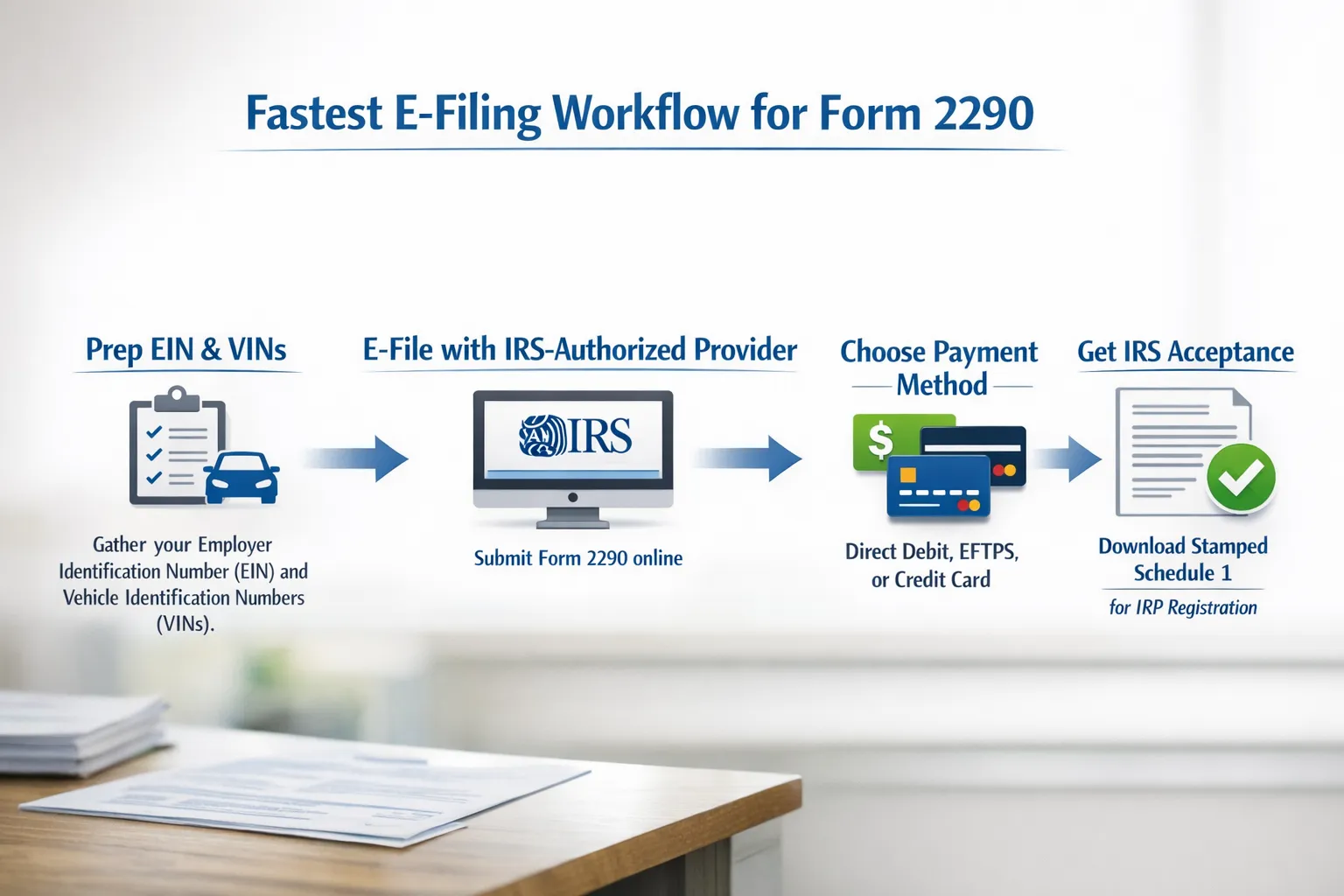
The fastest step-by-step sequence (without the fluff)
To get to “stamped Schedule 1 in minutes,” structure your process like this:
Prep (5 to 15 minutes, saves hours later)
- Confirm EIN and legal name format
- Confirm first-used month
- Pull VINs from official documents
- Confirm taxable gross weight category
File through an IRS-authorized platform
Using an IRS-authorized provider (for example, Simple Form 2290) keeps the workflow guided and helps reduce common data errors.
Pay using a method that won’t become your bottleneck
Direct Debit and card payments are often the simplest for last-minute needs. EFTPS can be excellent if it’s already set up and active.
Download and store the accepted Schedule 1 immediately
Save your stamped Schedule 1 in at least two places:
- Your filing dashboard (for retrieval)
- Your own secure storage (in case an office asks again)
That final step is what turns filing into registration-ready compliance.
Choosing the Best 2290 E-File Provider for speed (a quick checklist)
If your goal is the fastest possible turnaround, evaluate providers using speed metrics, not marketing.
- IRS authorization: verify the provider is approved for Form 2290 e-file transmissions
- Schedule 1 delivery: clear promise of fast access after acceptance
- Bulk support: if you file multiple vehicles, bulk workflows reduce errors
- Support availability: fast help matters most when a filing is rejected
- Security and retrieval: you should be able to pull last year’s Schedule 1 quickly
Simple Form 2290 is positioned around these speed and compliance priorities, including instant Schedule 1 delivery, bulk filings, bilingual support, and secure record access.
If you treat Form 2290 filing like an operational workflow (prep, validate, submit, retrieve proof), you’ll consistently get the fastest result: an accepted return and a stamped Schedule 1 ready for IRP and registration processing.